In 2026, automation is genuinely useful at the edges of pattern making: cleaning up and converting files, reading measurements, suggesting sizes, generating ideas and speeding up repetitive CAD work. It is not reliable at the centre of the craft, which is turning a design into a pattern that fits a real body in a real fabric to the millimetre. Treat any tool that promises "photo in, finished pattern out" with the same caution you would a size chart with no measurements.
That is not a dismissal. It is a map of where the time savings are real today, so you can use them without trusting them where they break.
Why pattern making is hard to automate
A sewing pattern is not a picture of a garment. It is a set of flat shapes whose seam lengths match within millimetres, whose curves produce a specific shape when sewn, and whose ease reflects decisions about comfort, movement and style. Most of that information is invisible in a photograph of the finished garment.
Three properties make it difficult:
- Precision. A sleeve cap that is 1.5 cm too long relative to the armhole is a visible defect. Image generators and general language models are not built to guarantee geometry at that tolerance.
- Hidden decisions. Ease, seam allowance, notch placement and grain are choices. A photo shows the result of those choices, not the choices themselves.
- Fabric dependence. The same shape behaves differently in a stable woven and a stretchy knit. A pattern is always drafted for a type of material.
What works well today
Converting and cleaning files
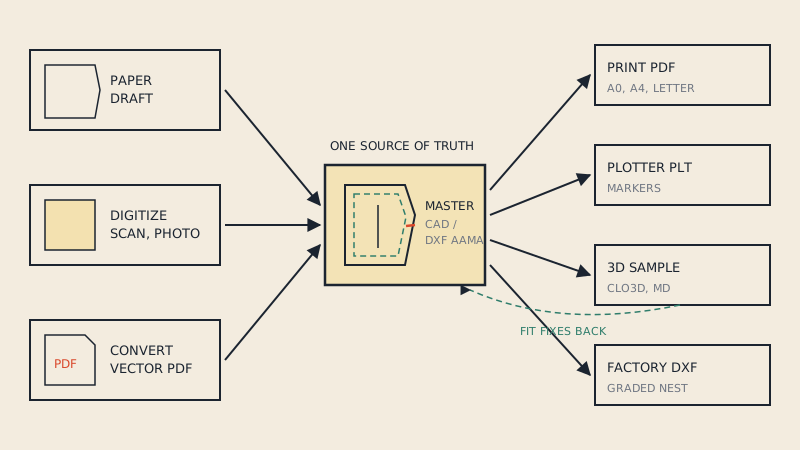
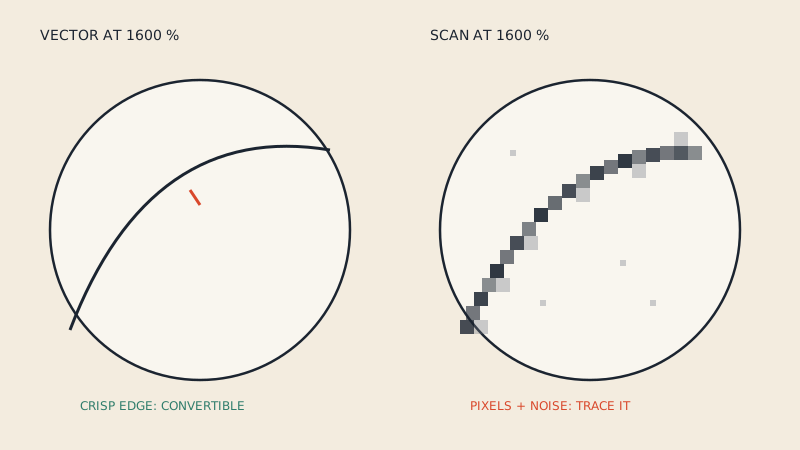
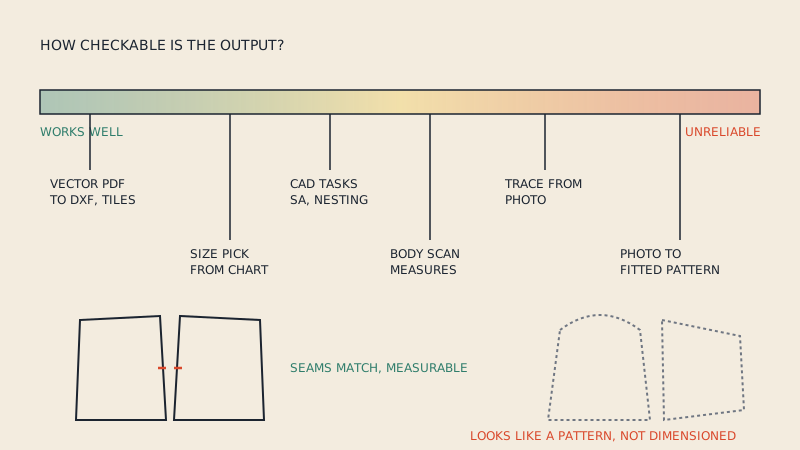
Taking a vector PDF and turning it into structured CAD data, assembling print-at-home tiles, separating sizes in a nested pattern, and identifying which lines are cut lines, notches or grain lines is largely a geometry problem. The information is already in the file; software only has to read it correctly. This is where automation is most dependable, because the output can be checked against the input.
Our own converter is in this category, though it is geometry-reading software rather than a generative model: it reads the vector lines already in your PDF and turns them into a DXF AAMA file with a preview of every piece. It does not invent shapes, and it can't read scans. If you are unsure whether your file qualifies, see is my PDF pattern vector or scanned.
Measurement capture
Body measurement from phone photos or scans has become common in made-to-measure and size recommendation. It can be good enough to pick a size or seed a made-to-measure draft, and the quality depends heavily on clothing, pose, lighting and calibration. It is a starting point, not a replacement for a tape measure on the measurements that matter most for your garment.
Size recommendation
Recommending a size from a few customer inputs and a brand's size chart is a well-defined problem. The output is a choice among existing graded sizes, which the brand has already tested, so a wrong recommendation is an inconvenience rather than an unwearable garment.
Repetitive CAD tasks
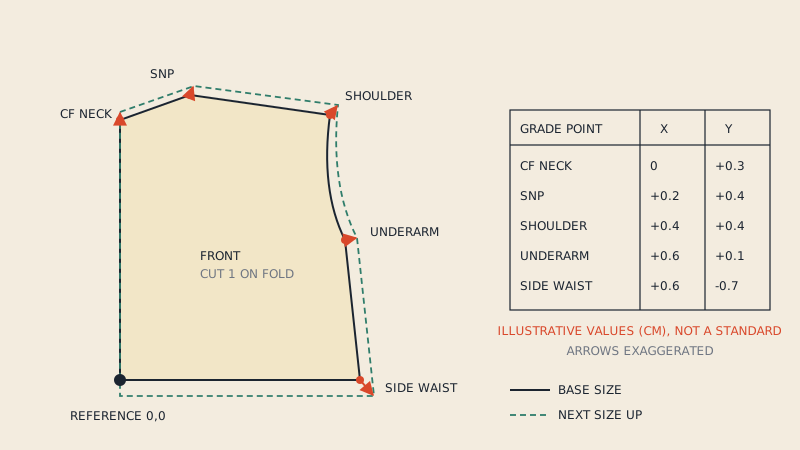
Pattern CAD has automated many tasks for years without anyone calling it AI: seam allowance with shaped corners, grading by rules, notch propagation, marker nesting. Newer assistants in CAD and 3D tools can speed up arrangement, sewing suggestions and naming. These help most when a skilled user checks the result.
Ideas and presentation
Generative image tools are useful for mood boards, colourway exploration and early silhouette ideas. They are a sketchbook, not a pattern source.
What doesn't work reliably
Drafting a fitted pattern from a photo
This is the promise most often made and least often met. A photo can suggest a silhouette and some style lines, but not the seam lengths, ease, or the shape of the armhole and sleeve cap that make a garment fit. Any output in this category needs the same work as drafting from a sketch: a pattern maker checking every seam, and a toile.
Generating "patterns" as images
Image generators can produce pictures that look like pattern sheets, with shapes and labels. They are illustrations. The shapes are not dimensioned, the seams are not matched, and the labels may not correspond to anything. Do not print one and cut fabric from it.
Grading without rules
Grading is systematic: grade rules define how each point moves between sizes. Software that "estimates" sizes without explicit rules and checks produces sizes that look plausible and fit unpredictably. The principles are covered in pattern grading basics.
Judging fit
3D simulation can show strain and drape, and that is valuable. But deciding whether a fit is right (for the brand's customer, the garment's purpose and the fabric) is a human judgement that depends on context no model has.
Recovering detail from scans and photos
Automatic tracing of photographed or scanned patterns is improving, but camera distortion, paper curl and faint markings still cause errors measured in millimetres or more. If you go this route, calibrate carefully and check every seam; photo digitizing of patterns explains the limits.
How to evaluate an AI pattern tool
Before paying for any tool marketed as AI pattern making software, ask:
| Question | Why it matters |
|---|---|
| What exactly is the input, and what is the output? | "Pattern" can mean a picture, a PDF or a dimensioned CAD file |
| Is the output dimensioned and checkable? | You should be able to measure seams and compare them |
| Can I export DXF AAMA or a 1:1 PDF? | A pattern you can't take into other tools is a dead end |
| Who checks the geometry, me or the tool? | If the answer is "nobody", budget for a pattern maker |
| What happens with a knit vs a woven? | Fabric-blind tools produce fabric-blind patterns |
| Is there a free trial or a preview before payment? | You need to test on your own patterns |
A realistic workflow in 2026
For a small brand or independent designer, a sensible mix looks like this:
- Use generative tools for ideas and presentation, if they help.
- Draft or adapt from tested blocks, by hand or in 2D CAD, or work with a pattern maker.
- Use automation for conversion, tiling, file cleanup and grading by rules.
- Use 3D simulation to catch fit problems early.
- Sew a physical sample before production, always.
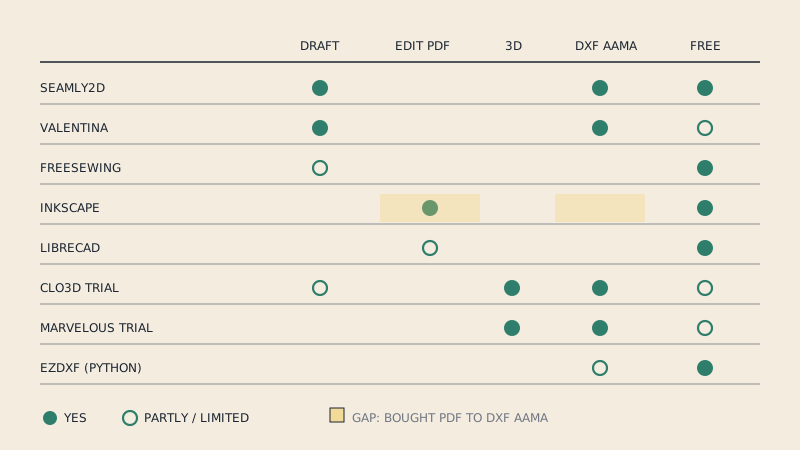
The broader toolset (paper, 2D CAD, 3D and file formats) is described in digital pattern making: a practical guide. Free options for the drafting part are listed in free pattern making software.
FAQ
Can AI make a sewing pattern from a photo?
Not reliably. A photo shows the finished garment but not the seam lengths, ease and curve shapes that make a pattern fit, so any output needs to be checked and tested by a pattern maker.
What is AI actually good at in pattern making?
It is most useful for work where the answer can be checked: converting and cleaning vector files, capturing measurements, recommending sizes from tested charts, and speeding up repetitive CAD tasks.
Are AI-generated pattern images usable?
No. Image generators can draw something that looks like a pattern sheet, but the shapes are not dimensioned or matched, so they cannot be cut and sewn.
Will AI replace pattern makers?
Current tools change parts of the job, mainly file work and repetitive tasks, but drafting for fit and judging a sample still depend on skilled people.
Is converting a PDF pattern to DXF an AI task?
It is mainly a geometry task: the lines are already in the vector file and software reads and organises them. It works on vector PDFs, not on scans or photos.