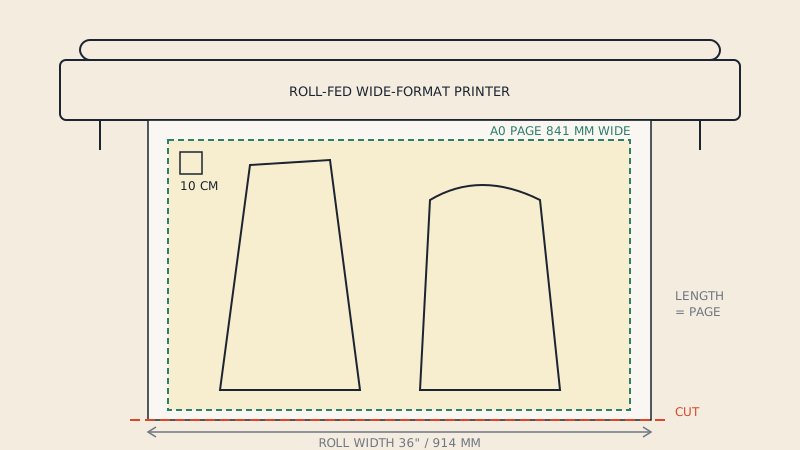
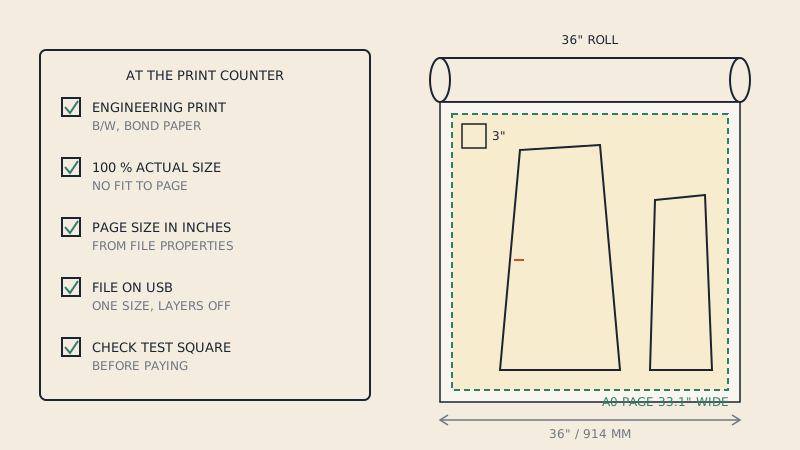
To print a sewing pattern at Staples, FedEx Office or Office Depot, ask the print counter for a black-and-white engineering print (also called a blueprint or plan print) of the pattern's large-format PDF, at 100 % scale with no fit-to-page. These stores generally print large sheets on roll printers up to 36" (914 mm) wide, which fits A0 and the 36" sheets most pattern designers supply. Services, equipment and prices differ from store to store, so ask your local counter what they can do before you upload.
What these stores call it
Office chains in the US and Canada sell large-format printing under several names. The one that matches a sewing pattern is the plain black-and-white line print made for architects and engineers:
| Name you may see | What it usually means | Right for patterns? |
|---|---|---|
| Engineering print | Black-and-white line drawing on bond paper, large format | Yes, the usual choice |
| Blueprint | Same thing in everyday use; not a real cyan blueprint | Yes |
| Architectural or plan print | Same family, sometimes colour options | Yes, in black and white |
| Poster | Colour, often on heavier or coated paper, may be enlarged to fill | Avoid |
| Banner, signage | Vinyl or heavy media | No |
Engineering prints are typically offered in standard sizes such as 24 × 36" and 36 × 48", and stores with a roll printer can often print custom lengths. Ask which sizes your store offers and whether it can print your page size exactly.
Before you go: prepare the file
- Use the large-format file, labelled copy shop, A0, 36" or large format in the pattern download. The letter-size tiles are for home printing.
- Check the page size in Adobe Acrobat Reader (File > Properties). Note it down in inches.
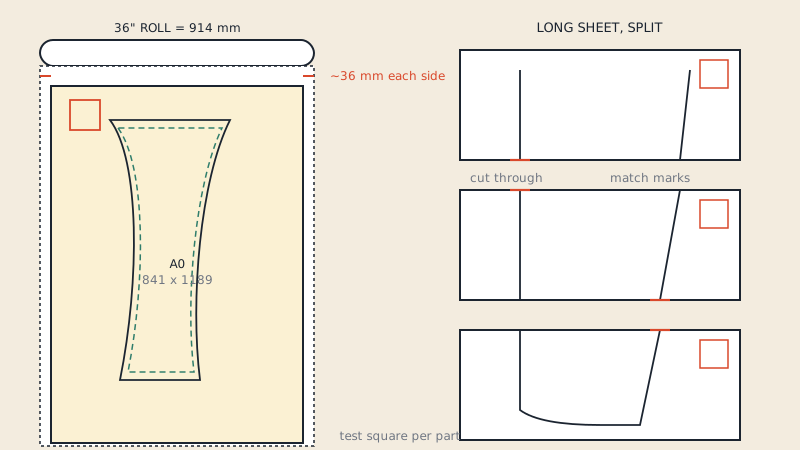
- Compare with the roll. A0 pages are 33.1" wide and fit a 36" roll with margin. Pages exactly 36" wide are designed for 36" rolls, but some printers need a margin; if the counter says it will not fit, ask whether a slightly larger roll is available rather than letting them scale it. Printing on a 36-inch roll covers widths and long sheets in detail.
- Hide sizes you do not need if the pattern has layers, then save a new copy and re-open it to check. Store computers and online upload tools may show every layer.
- Remove pages you do not want printed, or note which ones you want. Some upload systems print every page of the PDF.
Bring the file on a USB stick as well as uploading it. Online upload and in-store kiosks are not always identical, and a staff member can open the file from the stick if something goes wrong.
What to say at the counter
Keep it short:
"I'd like a black-and-white engineering print of this PDF. It's a sewing pattern, so it has to print at 100 %, actual size, no fit to page. The page is 33 by 47 inches. Can you print the first page so I can check the scale?"
Change the size to match your file. Then:
- Watch for "fit to page", "fit to media" or a percentage in the print settings on screen, and ask for 100 %.
- Ask for plain bond paper. Heavier paper adds cost and is not easier to trace or cut.
- If the store offers trimming to a standard size, decline; you want the full page.
If you are ordering online
Online ordering pages for engineering prints usually ask you to choose a sheet size and paper. Choose the size that matches your file exactly, or the next larger one if the system offers no custom size, and look for an option labelled actual size, original size or no scaling. If the page is smaller than the chosen sheet, it should print at 100 % with blank space around it; if the system enlarges it to fill the sheet, the pattern will be too big. When in doubt, choose in-store pickup and check the first print at the counter.
Copyright questions
Staff at print counters are trained to be careful with copyrighted material, and some sewists have had prints refused or questioned. A purchased pattern is copyrighted, but its licence normally allows you to print it for your own use.
To make it easy:
- Bring the order confirmation or receipt for the pattern, on your phone is fine.
- Many pattern files include a note on the first page saying the buyer may print the pattern at a copy shop for personal use. Point to it.
- Print only for yourself. Printing a pattern for others, or one you do not have the right to use, is a different matter; see sewing pattern copyright for general information (not legal advice).
Checking the print
Before you pay:
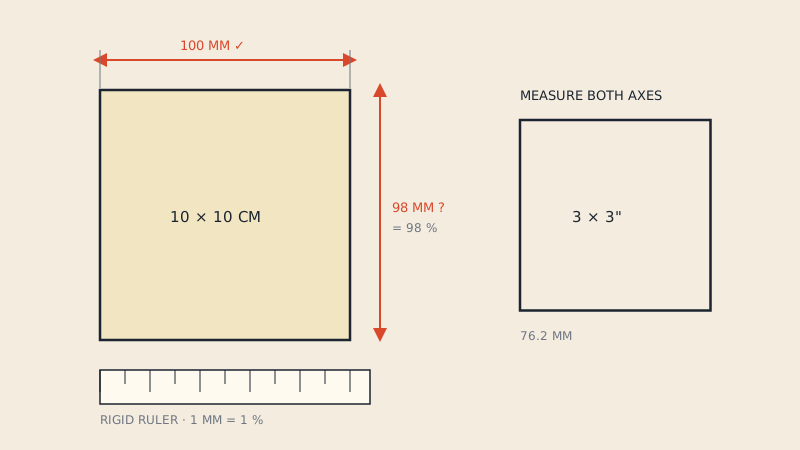
- Find the test square. Measure it with a ruler. A 1" square should be 1", a 3" square 3", a 10 cm square 10 cm. Even 1/16" off on a 1" square is a scale error of about 6 %, far too much for a garment.
- Look along all four edges for clipped lines, notches or labels.
- Count the sheets against the page count of your file.
If the square is wrong, ask for a reprint at 100 %. A small scaling error is the most common problem with large-format pattern prints, and it cannot be corrected after printing. The test square article explains how much error matters.
Troubleshooting at chain stores
| Problem | What usually happened | Fix |
|---|---|---|
| Pattern slightly too small | Fit to page or fit to media was on | Reprint at 100 % / actual size |
| Pattern enlarged | A sheet size larger than the page was chosen and "fill" applied | Choose actual size, or the exact sheet size |
| Right edge cut off | Page wider than the printable width of the roll | Rotate, or a wider roll, or a narrower file |
| Every size printed | Layers visible in the store's software | Bring a one-size copy |
| Printed in colour | Colour option selected or default | Ask for black and white |
| File will not upload | File too large or with unusual features | Bring it on USB; save a plain copy of the PDF |
When the store cannot help
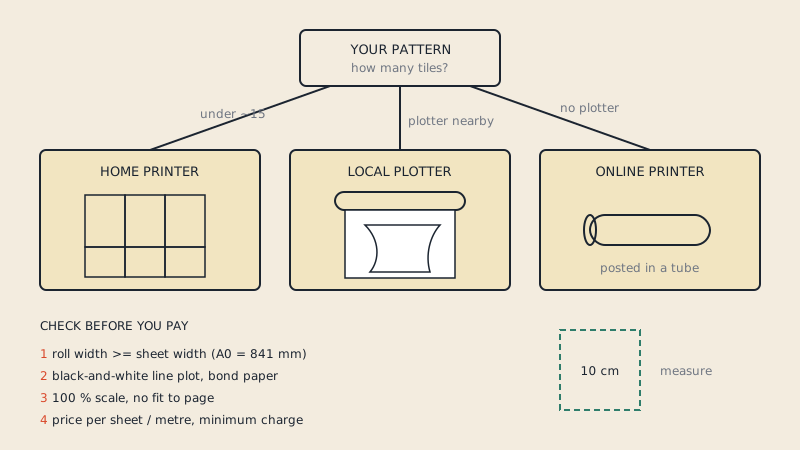
If your local store has no wide-format printer, or keeps printing at the wrong scale, other options are a local reprographics or blueprint shop (they print plans at 100 % every day), a university print room, or an online print service that posts sheets in a tube. Where to print sewing patterns compares the types, and copy shop printing for sewing patterns has an email template you can send to any shop.
If your pattern only came as letter-size tiles, there is nothing large to print yet. The tiles can be joined into a single 36"-wide sheet; our print files service builds that One Page file, with the original tile frames removed and a test square on the sheet, so the counter only has to print one page.
FAQ
Can I print sewing patterns at Staples?
Many Staples stores with a print centre can print large-format PDFs on a wide-format printer. Ask for a black-and-white engineering print at 100 % scale, and confirm your store's maximum width before uploading, because equipment differs between locations.
What should I ask for at FedEx Office to print a sewing pattern?
Ask for a black-and-white engineering print or blueprint of the PDF at actual size, 100 %, with no fit to page. Bring the file on USB and ask to check the first sheet's test square before the rest are printed.
What size is a sewing pattern printed at an office store?
Pattern copy-shop files are usually A0 (33.1 × 46.8") or 36" wide by whatever length the pattern needs. Both fit a 36" roll printer, which is the widest roll many office stores use.
Why did the store refuse to print my sewing pattern?
Staff may be cautious about copyrighted material. Bring proof of purchase and point to the pattern's printing permission, if it has one. A pattern you bought can normally be printed for your own use.
Should I print sewing patterns in colour at an office store?
Generally no. Black-and-white engineering prints are usually the cheapest large-format option and show pattern lines clearly. Use colour only if the sizes are told apart by colour alone.