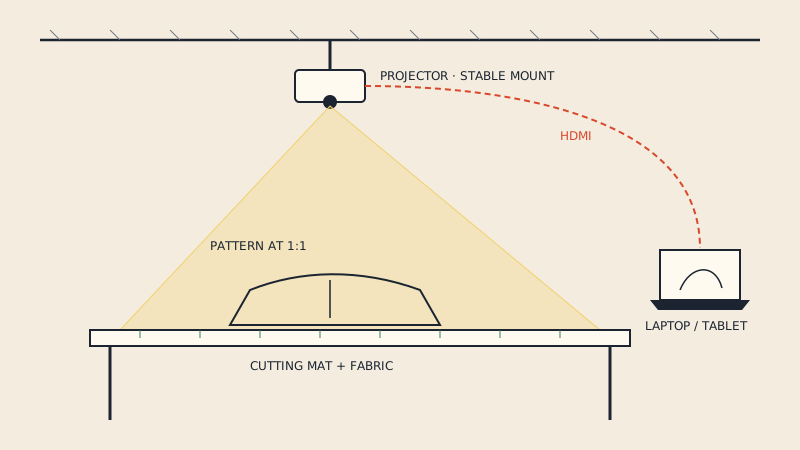
A projector file is a version of a PDF sewing pattern laid out for projecting onto the cutting table instead of printing: one continuous layout with no tile frames or page breaks, usually with thicker lines, often on a black background, and sometimes one size per file. It is the same pattern at the same 1:1 scale as the print files - only the presentation changes. If your pattern has no projector file, an A0 or one-page file projects almost as well, and the colours and line weight can often be adjusted in the viewer.
What makes a projector file different
Print files are designed for paper; projector files are designed for light on fabric. The differences follow from that.
| Feature | Tiled A4 / Letter file | A0 / copy-shop file | Projector file |
|---|---|---|---|
| Layout | Many small pages | Few large sheets | One long page, or a few |
| Tile frames, page codes | Yes | No | No |
| Background | White | White | Often black |
| Line weight | Thin | Thin | Usually thicker |
| Size per file | All sizes, often layers | All sizes, often layers | All sizes with layers, or one per file |
| Extras | Assembly map, test square | Test square | Test square, sometimes a ruler or grid |
| Intended for | Home printer | Copy shop plotter | Projector over a cutting table |
None of these features is a formal standard; designers make their own choices. Read the file notes that come with the pattern.
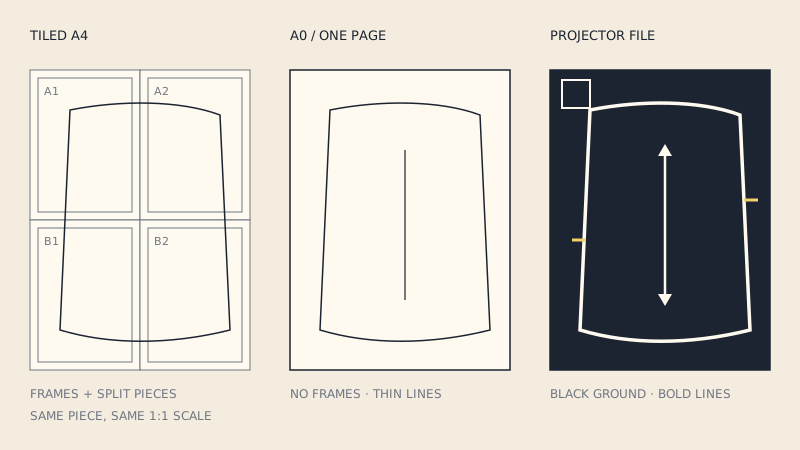
Why a black background
A projector adds light; it cannot add black. On a white-background file, the whole table is lit brightly and the thin black pattern lines are just a slightly darker shadow on bright fabric. On a black-background file, the table stays mostly dark and the lines are lit - bright on dark.
Practical effects:
- lines are easier to see, especially on mid-tone and patterned fabric;
- less glare in the eyes when you lean over the table;
- your hand shadows matter less, because most of the area is already dark.
On white or very pale fabric some people prefer a white background with black lines anyway. Try both.
Why thicker lines
A line that prints crisply at 0.25 mm on paper becomes faint and fuzzy when projected over a large area. Projector files commonly use heavier strokes so they stay visible. The trade-off is precision: on a 2 mm wide line, you must decide whether to cut on the inside, the outside or the centre. The usual convention is to cut through the middle of the line, and to stay consistent across all pieces.
Single long page
Because nothing has to fit a sheet, a projector file usually places all pieces in one long strip, often roughly the width of a cutting table or a fabric width. You pan along the page in the PDF reader as you move along the fabric. Some readers limit the maximum page size; a very long page may be split into a few pages for that reason.
Using a regular PDF pattern on the projector
If your pattern has no projector file, here is what to use, best first.
1. A0 or copy-shop file
This is the closest substitute: large sheets, no tile frames, pieces mostly intact. If pieces cross from one A0 sheet to the next, align the overlap on the table and continue.
2. A one-page file built from tiles
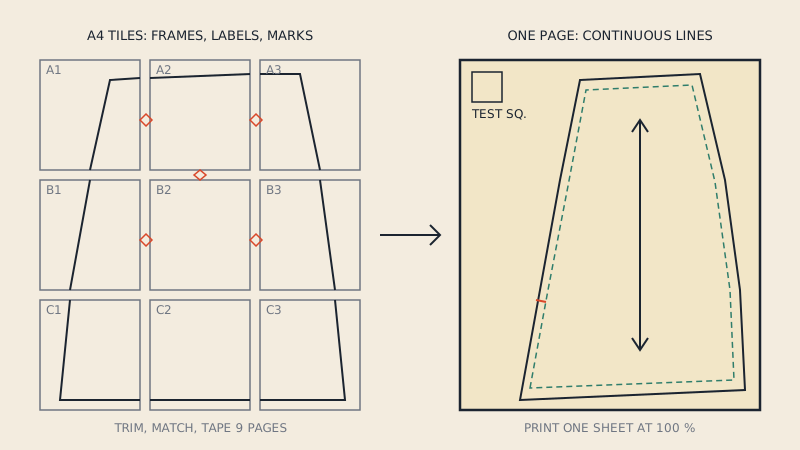
Tiled A4 or Letter files are the hardest to project: every frame, margin and page code shows up, and each piece is cut into pieces. If you only have tiles, convert them into a single sheet first. A one-page PDF puts the tiles back together; our converter does this automatically and removes the original tile frames and page numbers, so the result projects like an A0 file.
3. Changing colours in the viewer
You can often get a black background without editing the file:
- Projection apps for sewing commonly include an invert or dark mode for exactly this purpose, along with line-thickening options.
- Adobe Acrobat Reader has a Replace Document Colors setting in the Accessibility section of its preferences, with high-contrast combinations such as white text on black. It affects how pages are displayed, not the file.
- The operating system can invert colours for the whole screen, which also works on the projector output - though it inverts everything, including your menus.
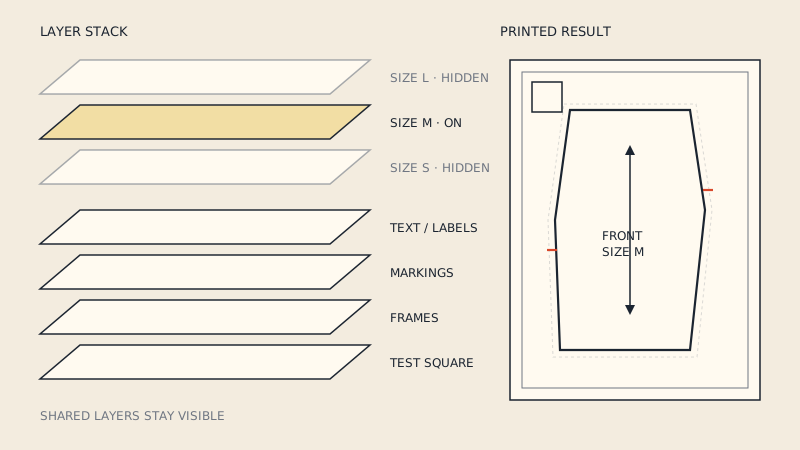
Coloured size lines will change colour when inverted. Check your size line still stands out, and better still, hide the other sizes with PDF layers first.
4. Never resize to "fit"
Whatever file you use, it must open at your calibrated zoom, not at "fit page" or "fit width". The scale on the table comes from calibration, and a reader that resizes the page to the window breaks it silently. Project the test square before every cutting session.
Projector files and multi-size patterns
Some designers include all sizes on one projector file with layers; others make one file per size so that only the needed lines are lit. With layers, switching sizes is instant, but the reader must support layers. With one file per size, any viewer works, but you have more files to manage.
If you blend between sizes, you need both lines visible. In a one-size-per-file setup, that means projecting one, chalking it, then the other - or using the layered all-size file.
What a projector file is not
- Not a different pattern. Pieces, notches and grain lines are the same as in the print files.
- Not a CAD file. It is still a PDF meant for viewing. For CLO3D or other pattern software, the pattern needs to be a DXF; see DXF vs PDF for sewing patterns.
- Not self-calibrating. The file cannot know the size of your table; scale always comes from your setup.
Projector files and copy shops
A black-background file is a poor choice for printing: it uses enormous amounts of toner or ink and is not what a copy shop expects. If you want both projector and paper, keep the normal A0 or one-page file for printing and the projector file for the table. If you are new to projecting, start with the projector sewing guide.
FAQ
What is a projector file in sewing patterns?
It is a version of a PDF pattern laid out for projecting onto fabric: one continuous page without tile frames, usually with thick lines and often a black background. The scale is the same 1:1 as the print files.
Can I use an A0 pattern file with a projector?
Yes. A0 and copy-shop files project well because they have no tile frames and keep most pieces whole. Open them at your calibrated zoom, not fit-to-page.
Why do projector files have a black background?
A projector can only add light, so a black background keeps most of the table dark and makes the lit pattern lines stand out. It also reduces glare when you lean over the table.
How do I make a regular PDF pattern work with a projector?
Use the A0 or copy-shop version if there is one, or convert tiled pages into a single sheet. You can then invert the colours in a projection app or with your PDF reader's high-contrast display setting.
Should I print a projector file?
No. Projector files with a black background use a lot of ink or toner and are not designed for paper. Print the regular A0, one-page or tiled file instead.