Tukatech's TUKAcad exchanges patterns with other systems through DXF, with the AAMA flavour as the usual choice for pattern pieces. TUKAdesign (pattern making) imports AAMA DXF files, and TUKAmark (marker making) can export them; Tukatech's own tips even use an AAMA DXF round trip from TUKAmark back into TUKAdesign to recover a lost pattern with its sizes. For a small factory, DXF is less a feature than the daily intake format: files arrive from many brands and CAD systems, and the work is getting them in correctly and fast.
This article is written for that situation. It covers how DXF fits into TUKAcad, an intake routine for incoming files, and the problems worth catching before a marker is cut. Tukatech's interface changes between releases and many of its tutorials were recorded on legacy versions, so menu names are left out on purpose.
Where DXF fits in a TUKAcad workflow
| Stage | TUKAcad module | DXF role |
|---|---|---|
| Receive a pattern from a brand | TUKAdesign | Import AAMA DXF as pattern pieces |
| Pattern corrections, grading | TUKAdesign | Work in TUKAcad's own format |
| Markers | TUKAmark | Uses TUKAcad pieces; can export pieces back out as AAMA DXF |
| Send the pattern back or to another factory | TUKAdesign / TUKAmark | Export AAMA DXF |
| Artwork placement (prints, embroidery) | TUKAdesign | Import vector artwork exported at real scale |
Tukatech's artwork tutorials make one point that applies to every import: export at real scale in the source program, then import into TUKAcad. Rescaling after import is where small errors creep in.
The AAMA round trip Tukatech recommends
One Tukatech tip addresses a situation many factories know: the pattern file is lost or damaged, but a marker still exists. The procedure is to create a marker order in TUKAmark with one bundle for each size, export it as an AAMA DXF, import that file into TUKAdesign and stack the sizes so the grading is kept.
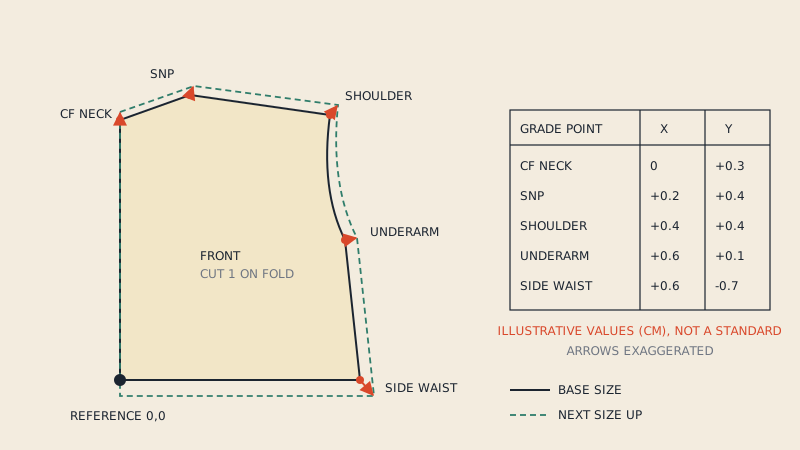
Two lessons follow from that tip. First, AAMA DXF is reliable enough inside the Tukatech family to rebuild a graded pattern from it. Second, a multi-size AAMA file is a set of outlines per size, and turning those back into one graded pattern means stacking them on matching points, which is exactly what you do with nested files from other systems. Grade rules and nests are explained in pattern grading basics.
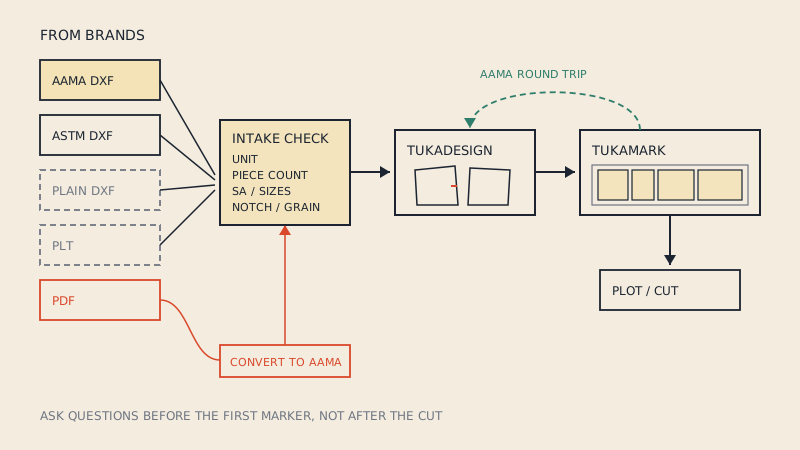
An intake routine for incoming files
A small factory may get one style as a clean AAMA file from a brand with its own pattern maker, the next as a DXF exported from a 3D program, and the next as a PDF. A fixed intake routine keeps that mix from turning into rework.
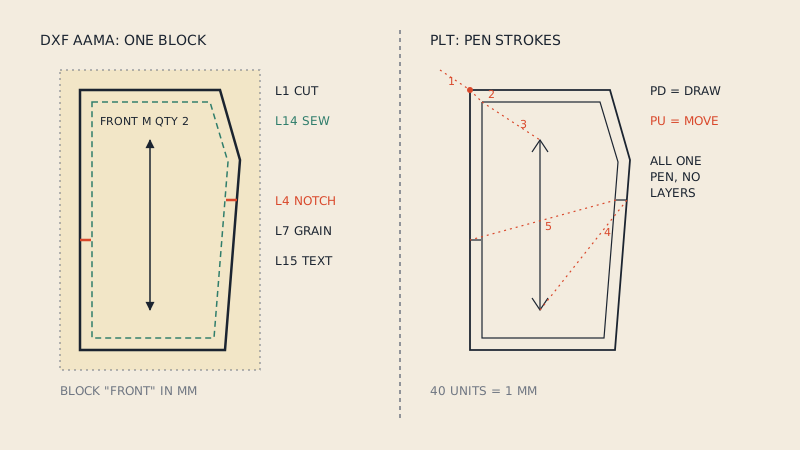
- Identify the format. AAMA DXF, ASTM DXF, plain DXF, PLT, PDF? Ask the brand what program it came from. Plain DXF and PLT carry no piece information; see PLT/HPGL pattern files for what is missing from plotter files.
- Confirm the unit with the sender, then import into TUKAdesign as AAMA with that unit.
- Measure one known dimension on a piece. A 25.4 times error is an inch/millimetre mix-up.
- Count pieces against the brand's cutting list or tech pack.
- Check every piece for closed outline, grain line, notches and internal markings.
- Check seam allowance. Is it included? Is it the factory's standard? Brands working in 3D often send net patterns.
- Check sizes. Graded file, nested sizes, or one size only?
- Record what you found and send questions to the brand before cutting.
Step 8 matters most. The cheapest moment to fix a pattern is before the first marker.
Problems to catch at intake
| What you see | What it usually means | Ask the brand for |
|---|---|---|
| Pieces merged or lines loose | Plain DXF, not AAMA | An AAMA export |
| Wrong size by 25.4x or 10x | Unit mismatch | The unit, or a re-export |
| No notches | Notches not exported or on a wrong layer | Re-export with notches on layer 4 |
| No grain lines | Grain not exported | Re-export with grain on layer 7 |
| Only one size | No grading in the file | Graded file, rule file, or a size list to grade to |
| Two outlines per piece | Cut and sew lines both present | Confirmation which line to cut on |
| Garment too small after sewing | Net pattern cut as if it included allowance | Confirmation of seam allowance |
Brands that send files from 3D programs are a frequent source of net patterns and nested sizes. A short note in your onboarding sheet asking for AAMA DXF, the unit, seam allowance status and the size list saves time on every style. The brand-side view of this is in how to send patterns to a factory, which is worth sharing with clients.
Sending files out of TUKAcad
When the factory sends patterns to a brand or another factory, the same rules apply in reverse:
- Export AAMA DXF with pieces as blocks and the standard layer numbers.
- State the unit in the file name or the accompanying note.
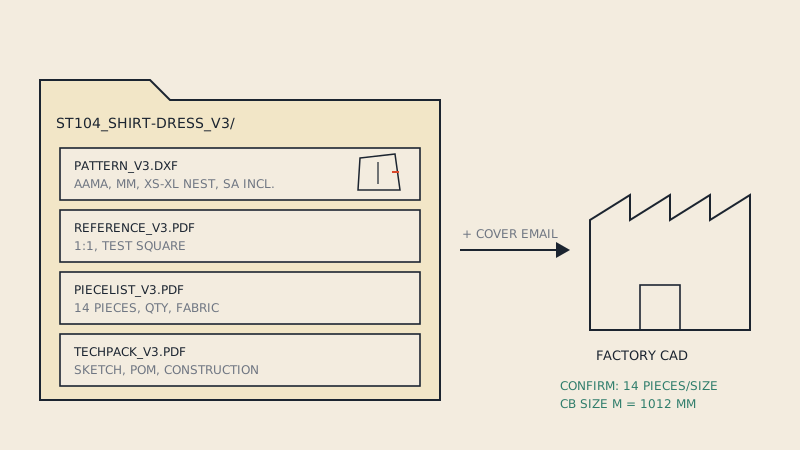
- Include the cutting list and the size list.
- Keep piece names meaningful; "FRONT", "BACK", "SLEEVE" travel better than internal codes.
If the recipient will print the pattern on paper rather than open it in CAD, a DXF alone is not enough; how to print a DXF pattern covers the options.
When a brand sends a PDF
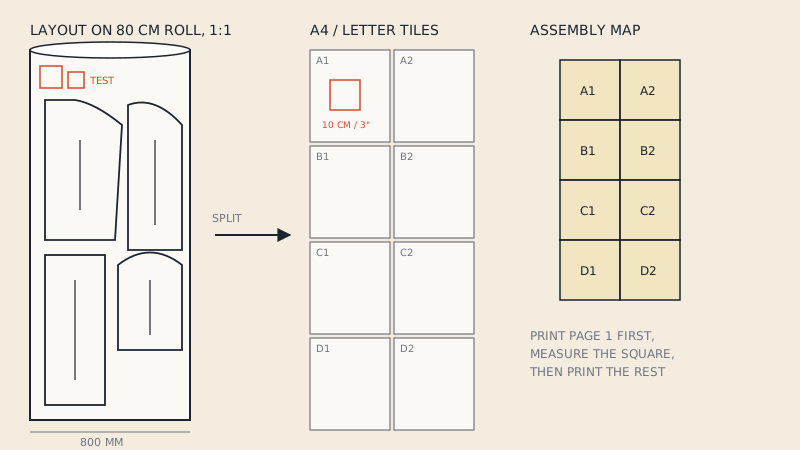
Small brands, especially those buying patterns from independent designers, often only have a PDF. TUKAcad cannot import a PDF as pattern pieces, and redrawing a full style takes hours. If the PDF is vector and the brand holds the rights to use it commercially, convert the PDF to DXF AAMA: our converter extracts the chosen size, assembles A4 or US Letter tiles automatically, and writes cut line, sew line where the pattern has allowance, grain lines, notches, internal lines and piece text on the standard layers. Each piece can be checked in a free preview first. The file is one size, so grading still happens in TUKAdesign. A brand that bought a pattern for home sewing should check the licence first; sewing pattern copyright explains the general principles.
FAQ
Can TUKAcad import DXF AAMA files?
Yes. TUKAdesign imports AAMA DXF pattern files, and Tukatech's own tips use AAMA DXF to move patterns between TUKAmark and TUKAdesign.
How do I recover a lost pattern from a TUKAmark marker?
Tukatech suggests creating a marker order with one bundle per size, exporting it as AAMA DXF, importing it into TUKAdesign and stacking the sizes so the grading is kept.
Why does an imported DXF have the wrong size in TUKAcad?
Almost always the unit was read wrongly. Confirm the unit with the sender, re-import, and measure a known dimension; a factor of 25.4 means inches and millimetres were confused.
What should a factory ask brands to send?
An AAMA DXF with one block per piece, the unit, whether seam allowance is included, the size list and a cutting list. A PDF reference print helps for checking.
Can TUKAcad open PDF sewing patterns?
Not as pattern pieces. A vector PDF pattern needs to be converted to DXF AAMA first.